
Here’s what happened

I tried the WordPress AI Website Builder
This post contains affiliate links. If you make a purchase through these links, I may earn a commission at no extra cost to you.
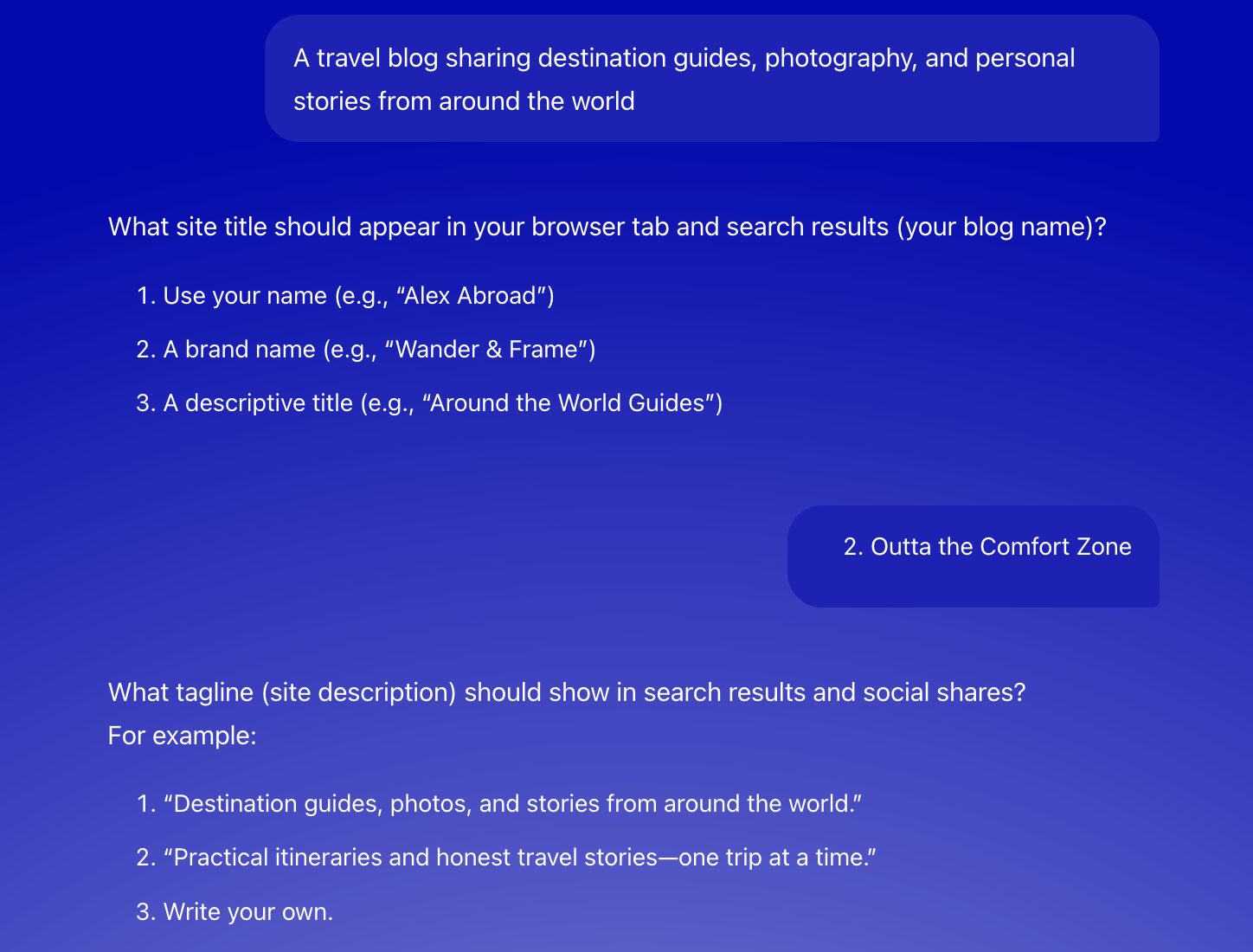
Trying the WordPress AI Website Builder
Starting a website is one of those things that sounds extremely achievable right up until the moment you try to do it.
You open a browser with determination. Today is the day. Today you are building the site.
Less than four minutes later you’re deep in a spiral about whether your brand colour should be sage or forest green, you’ve watched half a tutorial that assumes you already understand what a DNS record is, and the tab is quietly closed. The dream is postponed. The website remains imaginary. You’re still stuck telling people that your website is “coming soon”.
If this sounds familiar, you’re not alone. I’ve done this exact loop more times than I’d like to admit.
So when I heard that WordPress.com had launched an AI website builder — one that supposedly takes you from “idea” to “actual functioning website” without needing to understand web design — I was curious enough to test it.
Naturally, I built a travel blog.
Here’s what actually happened.
“Your Site Is Brewing”
After the last question, the screen changed.
Please wait, your site is brewing.
Brewing. I appreciated that.
Very relaxed wording for something that would normally involve a small crisis and three hours of Googling.
Then, genuinely faster than I expected, the site appeared.
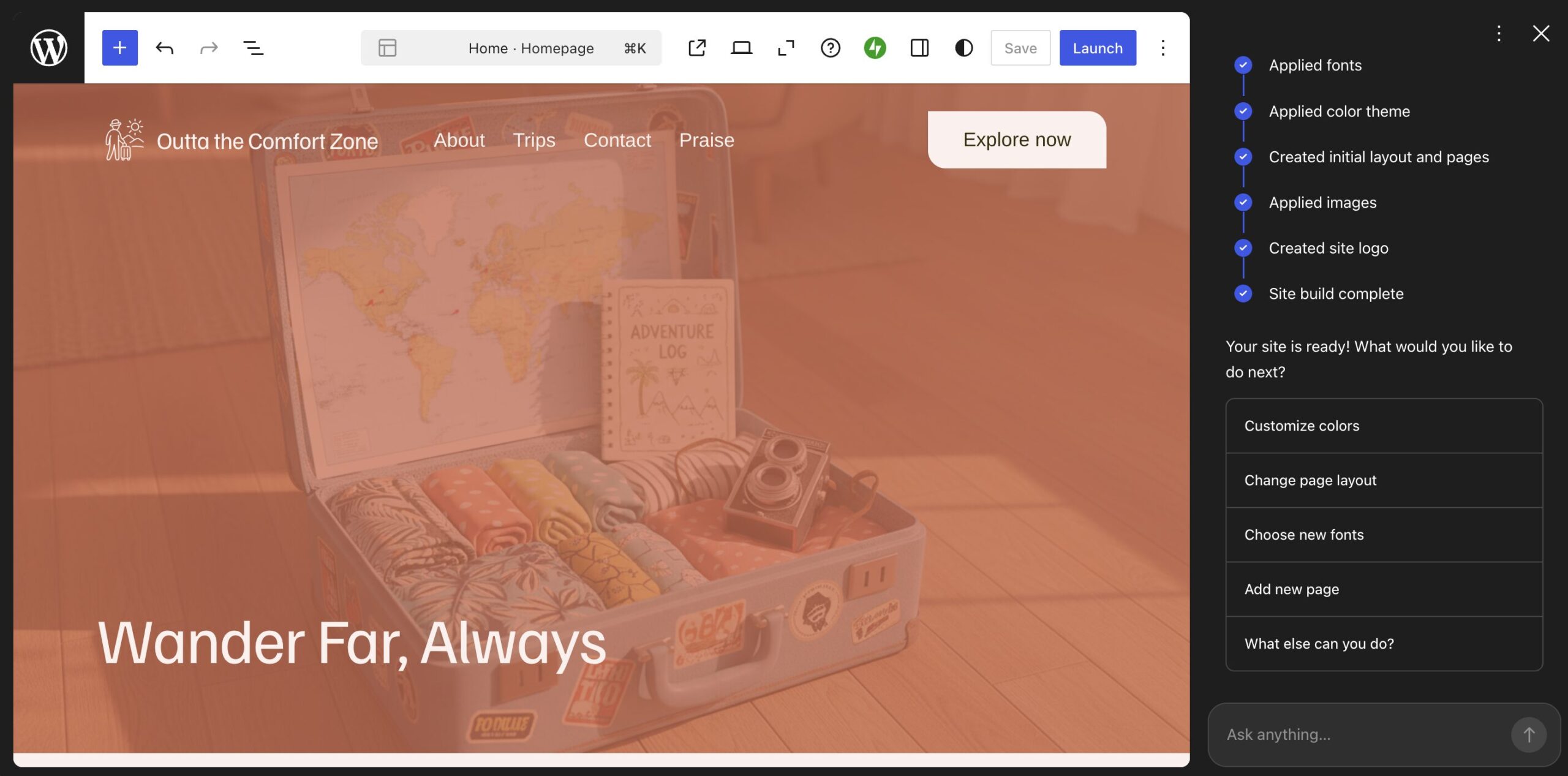
A full homepage. Already built.
There was a hero image of an open suitcase with travel gear, a vintage camera tucked into the corner, and a world map spilling out the side. The headline read “Wander Far, Always.”
The navigation bar already existed too: About, Trips, Contact, and Praise — which felt slightly ambitious but I admire the confidence.
A logo had been created. Fonts were applied. A colour theme was already in place.
Meanwhile, on the right side of the screen, a small checklist quietly ticked itself off:
✓ Applied fonts
✓ Applied colour theme
✓ Created initial layout and pages
✓ Applied images
✓ Created site logo
✓ Site build complete
Every one of those things is a decision I would normally spend far too long thinking about.
Instead, the builder just… handled it.
Editing and Making It Your Own
Once the site was generated, everything moved into the normal WordPress editor.
This part matters, because the AI doesn’t lock anything in.
It gives you a strong starting point, then steps aside.
From there you can rewrite headlines, swap images, adjust layouts, change colours and fonts, remove sections entirely, or add new pages. The site is built using native WordPress blocks, so nothing is fragile and nothing traps you inside a weird proprietary system you’ll eventually outgrow.
The real difference isn’t just speed. It’s the mental load. Instead of staring at a blank page and making forty design decisions before anything exists, you start with something functional and refine it. Turns out that’s a completely different experience. A much better one.
The Honest Part
A couple of things worth knowing upfront.
Building the site itself is free. But you’ll need a paid plan — Personal, Premium, or Business — to actually publish it live. That’s fairly standard, but it’s good to know before you get emotionally attached to your new homepage.
The nice part is that any plan purchased through the AI builder also unlocks the WordPress AI Assistant, which stays inside the editor after your site is live. Need to rewrite a paragraph? Adjust a layout? Generate an image? It’s there to help as you keep building.
And because the site is built directly on WordPress.com infrastructure, hosting, security, and updates are handled automatically. This isn’t a temporary AI demo you’ll eventually have to rebuild somewhere else. It’s a real WordPress site from the start.
Who This Is Actually For
After trying it out, a few types of people will probably get the most out of this.
First-time website creators — if you’ve been putting off building a site because it feels too technical, this removes the part that was actually stopping you. The blank screen.
Creators — bloggers, writers, photographers, anyone who wants a proper home for their work outside of social platforms. This gives you a place you actually own.
Small business owners — if you need something credible online but don’t want to hire someone or wait weeks, this gets you most of the way there very quickly.
In every case, the AI builder isn’t the finished product. It’s the thing that makes finishing feel possible.
Final Thoughts
The biggest thing I noticed after trying the WordPress.com AI website builder wasn’t a specific feature.
It was the feeling of relief once the blank page disappeared.
Building a website has always had this reputation for being a project. Something you have to mentally prepare for.
The AI builder doesn’t eliminate all of that — but it does remove the worst part: the beginning.
You describe the site you want, it creates a real starting point, and you take it from there. Your ideas. Your decisions. Your site. Just without the part where you spend two hours wondering what colour a travel blog should be.
If you’ve been meaning to launch something and keep putting it off, try the WordPress.com AI website builder here and see what it builds from your idea.
Worst case, you spend ten minutes experimenting. Best case, you finally have a website.